

By Leonardo Cantoni, founder of Rileva · Published 9 October 2026 · Prices checked 9 October 2026
Key takeaways
- Paying for both costs $40 a month in the US ($20 + $20, billed monthly). Whether that's worth it depends on one thing: does the second answer change what you actually ship?
- You can find out in about 20 minutes with 3 real tasks from your own week. The test and the scoring sheet are below.
- If the second model rarely changes your output, cancel one. If it often does on one kind of task, keep both, or move to one app that has models from several labs.
- A multi-model app is not a copy of the native apps. You lose things like Claude Code and Codex. Be honest about which features you really use.
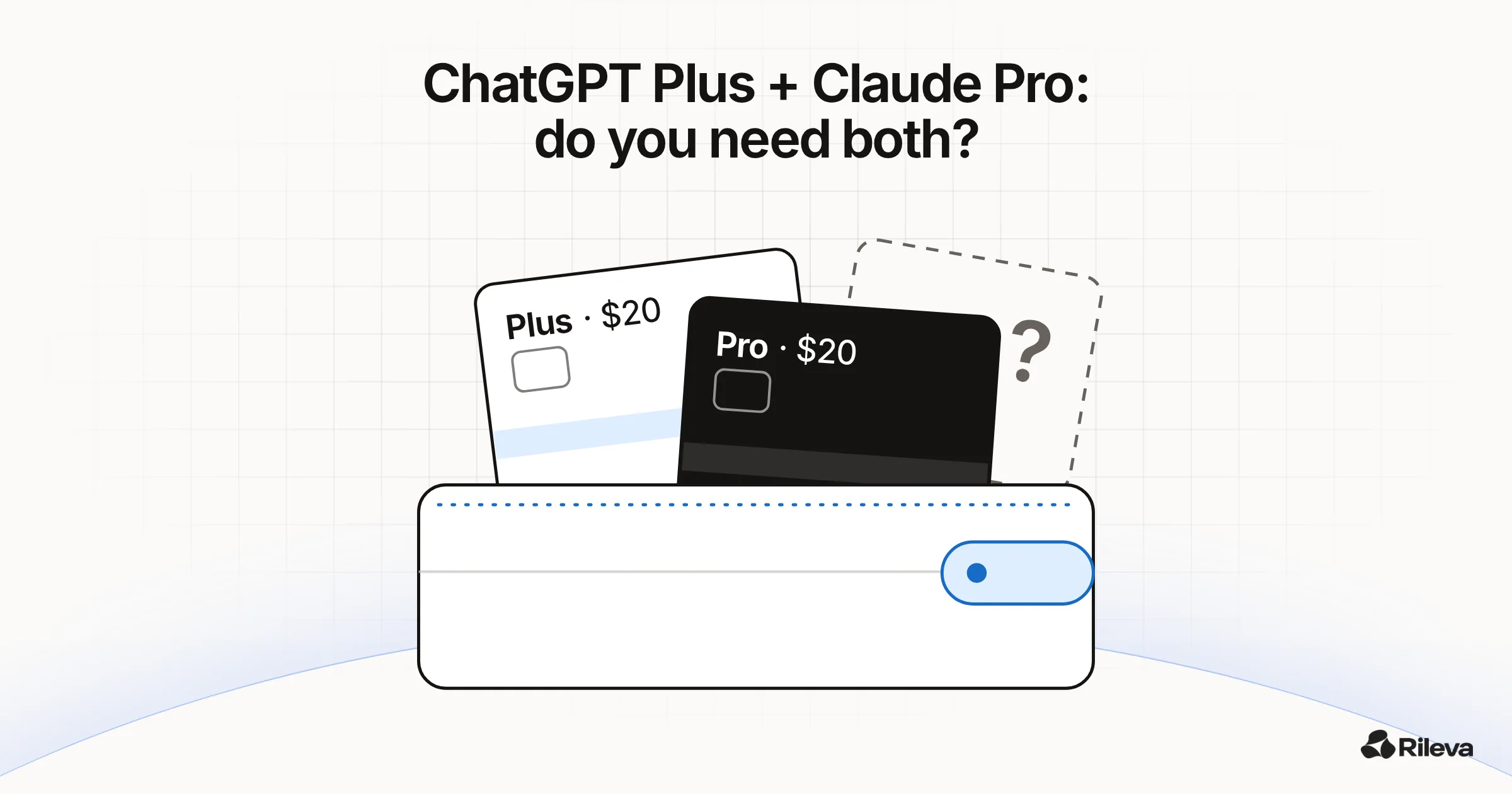
If you pay for ChatGPT Plus and Claude Pro, you're not unusual. Many people who use AI for work end up with both: one because it was first, the other because someone said it writes better, codes better, or "just gets it". Then the second card charge arrives every month and you wonder if you're paying twice for the same thing.
This post won't tell you which one is better, because that depends on your tasks, not on mine. It gives you a quick way to decide with your own work, and the honest trade-offs of each option, including the one we sell.
What you're paying for today
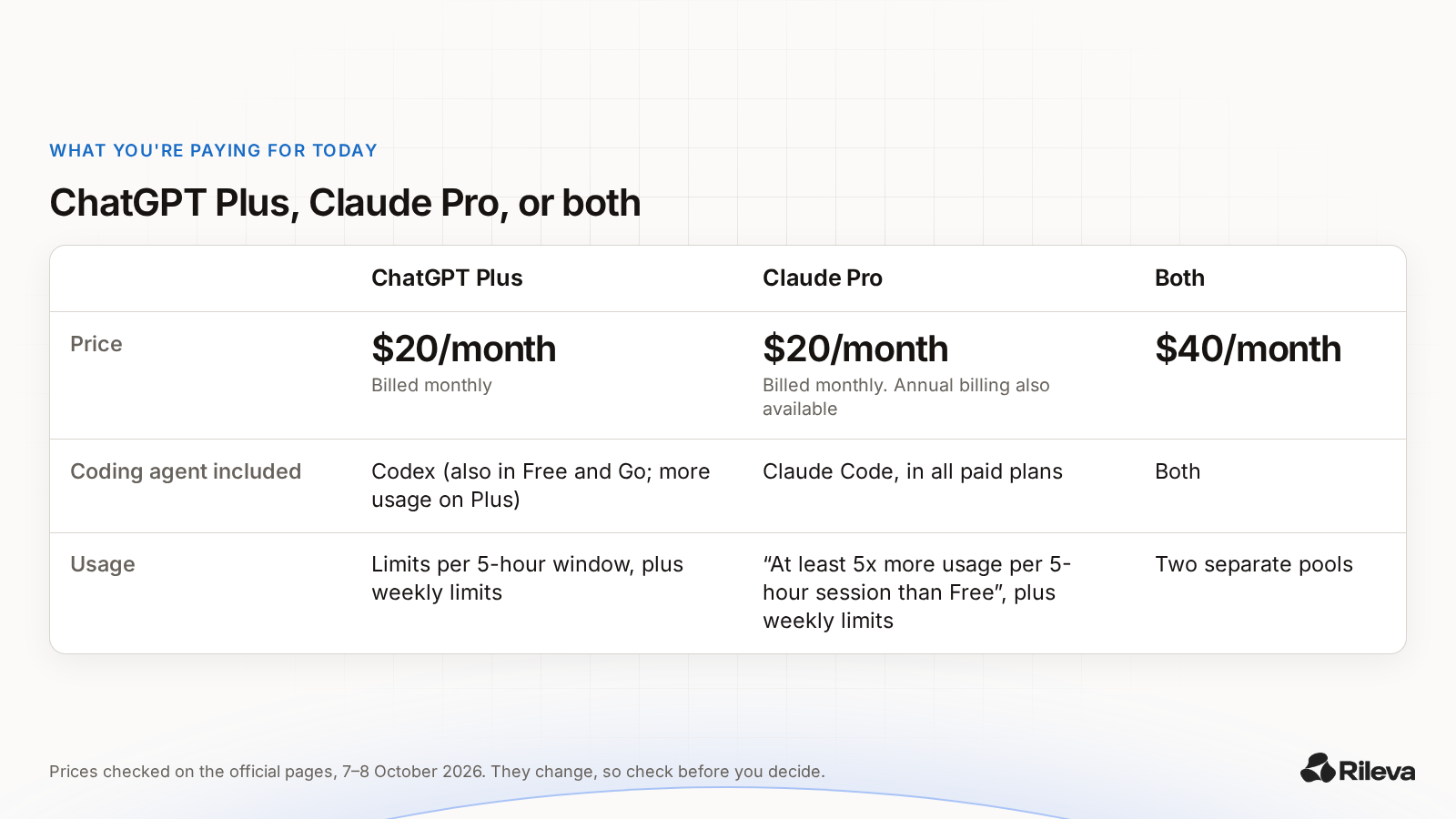
Prices checked on the official pages on 9 October 2026. They change, so check the links before you decide.
| ChatGPT Plus | Claude Pro | Both | |
|---|---|---|---|
| Price | $20/month, billed monthly (OpenAI Help Center) | $20/month billed monthly; annual billing also available (claude.com/pricing) | $40/month |
| Coding agent included | Codex. OpenAI includes it in every ChatGPT plan, Free and Go too, with more usage on Plus (OpenAI Codex pricing) | Claude Code, included in all paid plans (claude.com/pricing) | Both |
| Usage | Limits apply; Codex usage is shown per 5-hour window plus weekly limits (OpenAI Codex pricing) | "At least 5x more usage per 5-hour session than Free", plus weekly limits (claude.com/pricing) | Two separate pools |
Two things the table doesn't show:
- You're also paying in attention. Two apps means two chat histories, two places where your project context lives, and copy-pasting between tabs when you want a second opinion.
- The native apps are more than a model. Each one comes with its own tools: coding agents, desktop and mobile apps, connectors, projects. If you rely on one of those every day, that app is hard to replace, whatever the model.
Why people keep both (and why some shouldn't)
There are three good reasons to pay for both:
- They really do differ on your kind of task. On judgment-heavy work, like a tricky email, a product decision or a code review, two models trained by different labs often reach different conclusions. If you use both answers, you're getting something for the second $20.
- You use a native tool from each. For example, one app's coding agent and the other's writing workflow.
- You hit usage limits. If one plan runs out mid-week, the other is your overflow.
And three signs you're paying twice for the same thing:
- You open the second app less than once a week.
- When you do ask both, you mostly take the first answer anyway.
- You can't name a task where the second one changed what you did.
Most people have a gut feeling about this, but it's usually based on a few memorable answers. Here's a quick way to check it on real work.
The 20-minute test: decide with your own tasks
You need both subscriptions still active, three real tasks, and a note to score them in.
Step 1: pick 3 tasks from last week
Not test questions. Real things you did or still need to do, each a different kind of work:
- One writing task: an email, a page of copy, a summary for your boss.
- One thinking task: a decision, a plan, a pricing question, a hire.
- One task from your core job: code, analysis, research, whatever you're paid for.
Use real context. A generic prompt gets a generic answer from both, and the test tells you nothing.
Step 2: run each one in both apps, in fresh chats
Open a new chat in each app, with no earlier history, so neither one is anchored to your previous conversation. Paste exactly the same prompt into both. Use this wrapper around your task:
Here's a real task from my week. Do it as if you were handing it to me to use as-is.

TASK: [paste the task]
CONTEXT: [who it's for, what good looks like, any constraints]

After your answer, list in 3 bullets the assumptions you made.
The last line matters. When two answers differ, the assumptions usually tell you why.
Step 3: score each pair
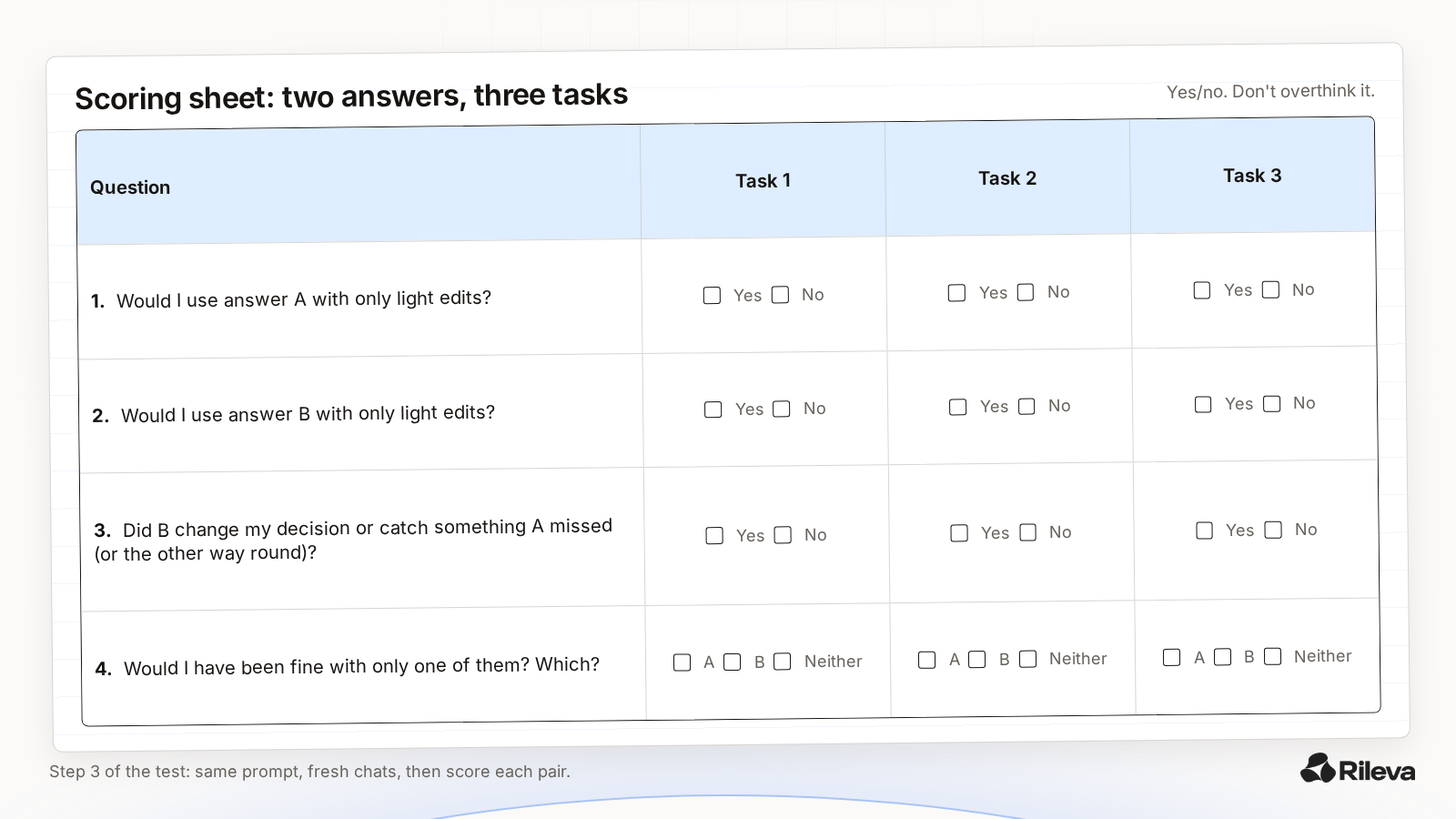
For each task, answer four questions. Keep it to yes/no; don't overthink it.
| Question | Task 1 | Task 2 | Task 3 |
|---|---|---|---|
| Would I use answer A with only light edits? | |||
| Would I use answer B with only light edits? | |||
| Did B change my decision or catch something A missed (or the other way round)? | |||
| Would I have been fine with only one of them? Which? |
Step 4: read the result
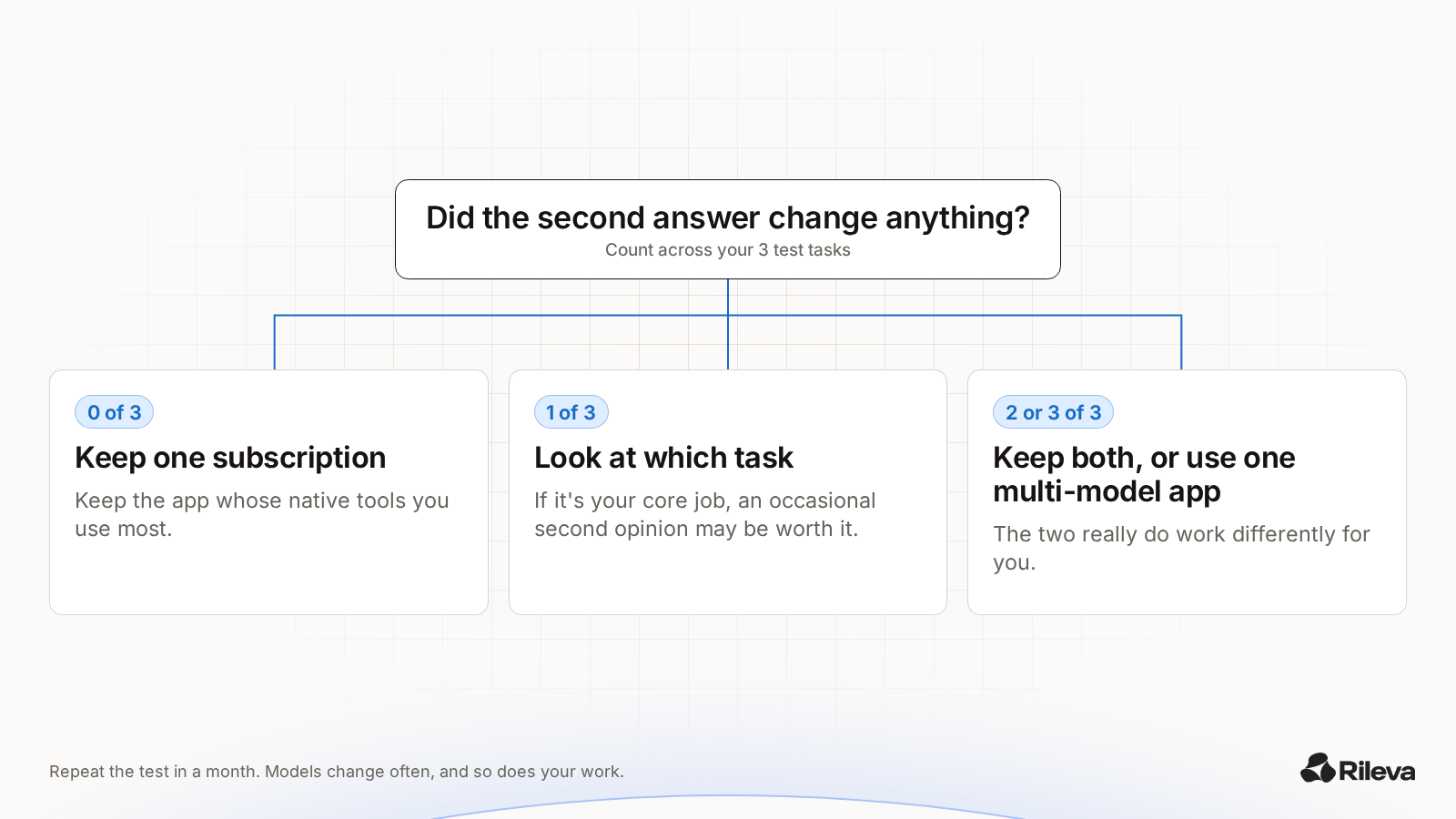
- The second answer changed something in 0 of 3 tasks: you probably need one subscription. Keep the one whose native tools you use most, and cancel the other.
- It changed something in 1 of 3: look at which task. If it's your core job, the second opinion may be worth paying for, but you may not need a whole second subscription to get it (see option 3 below).
- It changed something in 2 or 3 of 3: the two really do work differently for you. Keep both, or get both kinds of answer in one place.
Repeat the test in a month. Models change often, and so does your work.
Want to skip the two tabs for one task? Paste it into Council and get 3 labs' answers at once. One tap to Council.
What "both" looks like on one task
To show what a real difference looks like, we ran one writing task through Rileva's Council, which asks 3 AI models from 3 different labs at once. This is a single run, shown as it came out. It isn't evidence that any model is better at writing, and your own run may get a different lineup and different answers.
The task, verbatim:
Rewrite this email so it's firm but friendly. I'm a freelance designer and the client keeps adding requests outside the agreed scope. I want to keep the client, but new requests need a new quote. Keep it under 150 words. "Hi Sam, just a heads up that the new banner sizes and the extra landing page weren't in our original agreement. I've done the banners already but I can't keep doing extras for free. Can we talk about it? Thanks, Alex"
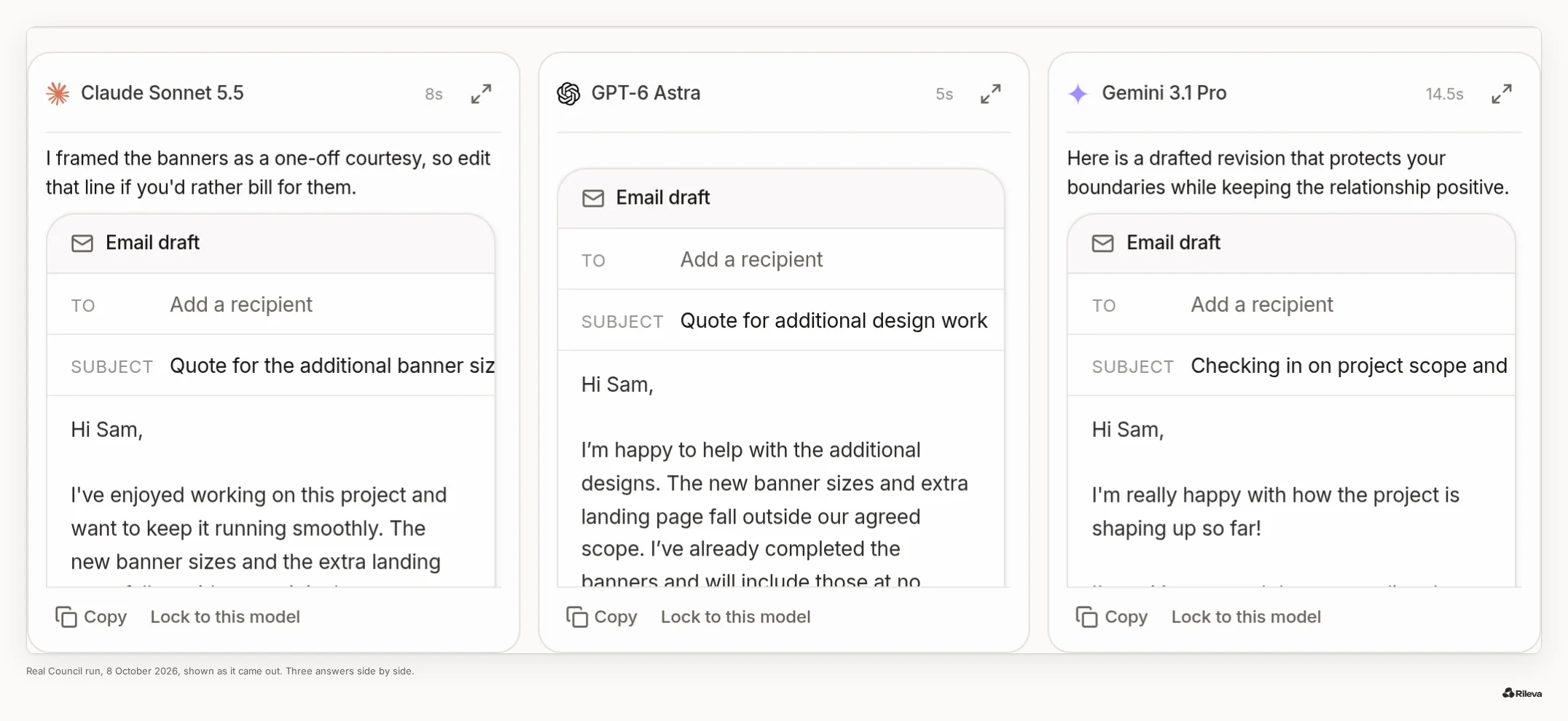
Lineup in this run (8 Oct 2026): A: Claude Sonnet 5.5 · B: GPT-6 Astra · C: Gemini 3.1 Pro, left to right as shown. Your run may differ.
What the three drafts had in common. All three kept the tone warm, said plainly that the new banner sizes and the extra landing page were outside the agreed scope, and moved future extras to a quote before any work starts. All three stayed under the 150-word limit (104, 89 and 118 words in the email body).
Where the drafts actually differed:
- The banners already done. A treats them as "a one-off" and adds a note to the user: "edit that line if you'd rather bill for them". B will "include those at no additional charge this time". C "took care of the additional banners for you at no extra charge so we could keep our momentum going".
- The next step. A commits: "I'll send over a quote for the landing page today". B asks: "Would you like me to put together a quote for the landing page?" C offers "a quick estimate for the landing page so we can get that started".
- The subject line. A: "Quote for the additional banner sizes and landing page". B: "Quote for additional design work". C: "Checking in on project scope and new requests". The first two say "quote" in the inbox; the third doesn't.
What the summary said. The summary is written by a model, not by us. In this run that was GPT-6 Astra, which was also one of the three that answered (B); it isn't told which answer is its own. Model names are shown here as column letters.
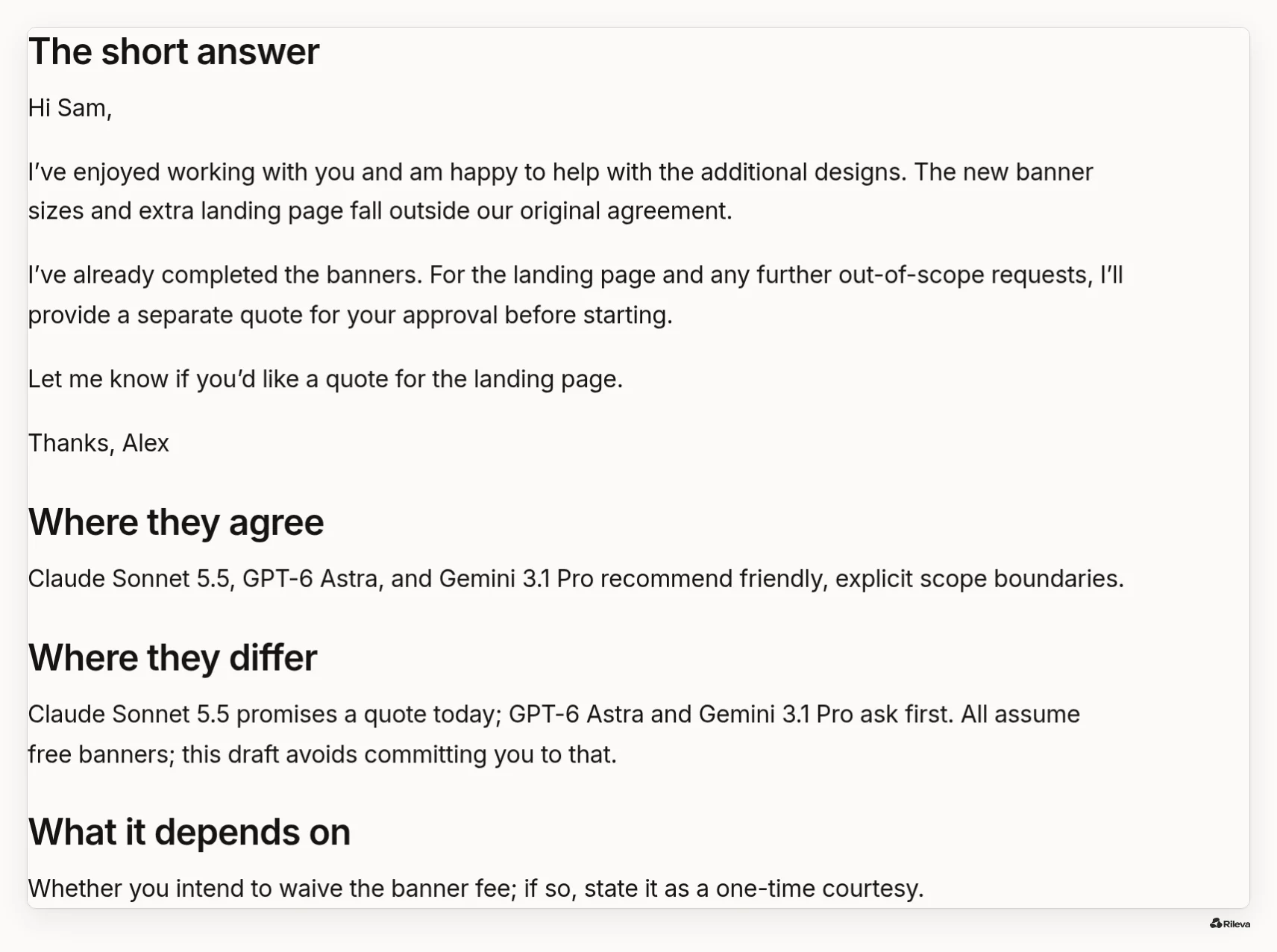
- Where they agree: "[A], [B], and [C] recommend friendly, explicit scope boundaries."
- Where they differ: "[A] promises a quote today; [B] and [C] ask first. All assume free banners; this draft avoids committing you to that."
- What it depends on: "Whether you intend to waive the banner fee; if so, state it as a one-time courtesy."
Its short answer was a fourth, merged draft that leaves the banner fee open:
Hi Sam,
I’ve enjoyed working with you and am happy to help with the additional designs. The new banner sizes and extra landing page fall outside our original agreement.
I’ve already completed the banners. For the landing page and any further out-of-scope requests, I’ll provide a separate quote for your approval before starting.
Let me know if you’d like a quote for the landing page.
Thanks, Alex
You can read all three full answers in the app.
What this tells you about stacking. On this task the three drafts were close: any one of them would have done the job. What the extra answers added was a decision nobody had asked about: all three drafts gave the banners away for free, and only the comparison made that visible. That's exactly the kind of thing to score in Step 3 ("Did B change my decision or catch something A missed?"). If, on your own tasks, the second answer mostly just rewords the first, one model is all you need.
Your three options, honestly
Option 1: keep both
Right for you if the test showed real differences on work you care about, or you depend on a native tool from each app. The cost is $40 a month and two separate workspaces. To make the second subscription earn its keep, ask both on purpose: same prompt, fresh chats, then compare.
Option 2: keep one
Right for you if the second answer rarely changed anything. Keep the app whose tools you use daily. You can still get a free second opinion now and then from another lab's free tier, using the same fresh-chat method.
Option 3: one app with models from several labs
Right for you if you want different labs' answers but don't use the native tools much. Several apps do this, each in its own way. We compared Poe, ChatHub, TypingMind and Rileva in an honest Poe alternative comparison.
Here's what Rileva does, plainly:
- Auto for everyday messages: Rileva picks one model for each message, and every answer shows which model wrote it and why. Auto never uses the most expensive models (Claude Opus 5.5 and Fable 5.1); with an account, you can pin those yourself.
- Council when you want the second and third opinion: it asks 3 models from 3 different labs at once, from a set lineup for that type of question. Each answers without seeing the others. One model groups the answers without knowing which model wrote which, and another writes the summary: the short answer, where they agree, where they differ and why, and what it depends on. You can read every full answer.
- Pin a model yourself when you know what you want. As of 7 October 2026 there are 16 to choose from across OpenAI, Claude, Gemini, Grok, Mistral and Perplexity, and no plan limits which ones you can use.
- Price: Plus is €18 a month with 1,000 credits a month. Credits don't roll over.
What you give up, and it matters:
- No native coding agent. Rileva is a chat workspace in the browser. It doesn't replace Claude Code or Codex.
- Works in your browser. The interface is in English, and it answers in your language.
- Different limits. A Council answer uses more of your monthly credits than a single-model answer. Check /pricing against how you'd actually use it.
- A young product with a small team. ChatGPT and Claude are far more established.
A simple rule of thumb
If you can't name the last time the second subscription changed what you did, cancel it this month. If you can, the question isn't "which one is better" but "how do I get both answers with the least effort". That might be two subscriptions, or it might be one app.
FAQ
Is it worth paying for both ChatGPT Plus and Claude Pro? It's worth it if the second model regularly changes what you ship, or if you rely on a native tool from each app, such as a coding agent. If the second answer rarely changes anything, you're paying twice for one opinion. Test it on three real tasks from your week.
Can I get ChatGPT and Claude in one subscription? Yes, several multi-model apps include models from OpenAI, Anthropic and other labs in one plan, Rileva among them. They don't include the native apps' own tools, like Claude Code or Codex, so check which features you actually use before you switch.
Which one should I cancel? Keep the one whose tools you use every day and whose answers you edit least. Run the same three tasks in both, in fresh chats, and score them. The answer is usually clearer than people expect.
Does asking two or three AIs mean the answer is correct? No. Models can share the same blind spots, so agreement means the answers are consistent, not that they're true. A second opinion is most useful for surfacing assumptions and risks. For facts, check sources.
Is a multi-model app the same as having both subscriptions? Not exactly. You get answers from several labs' models in one place, but not each company's own apps, agents and features, and usage limits work differently. It suits people who mainly chat and want more than one opinion.
Can I try Rileva before paying? Yes. You get 2 free answers without an account, and 40 free credits when you sign up, no card needed. Plus also has a 14-day money-back guarantee on your first payment.
Try the test on one task, free
Run your stacking test in Council Paste one real task from your week. Council asks 3 AI models from 3 different labs at once and shows where they agree, where they differ, and what it depends on. 2 free answers, no signup, no card. Try it with your task → The question opens in the composer; nothing sends until you press send. If you're signed in, Council is already on. As a guest, it's one tap to Council.
If you run it, I'd like to hear whether the second and third answers changed anything. Reply on X or email me.
Leonardo Cantoni, founder of Rileva